Live R/T/A spectra
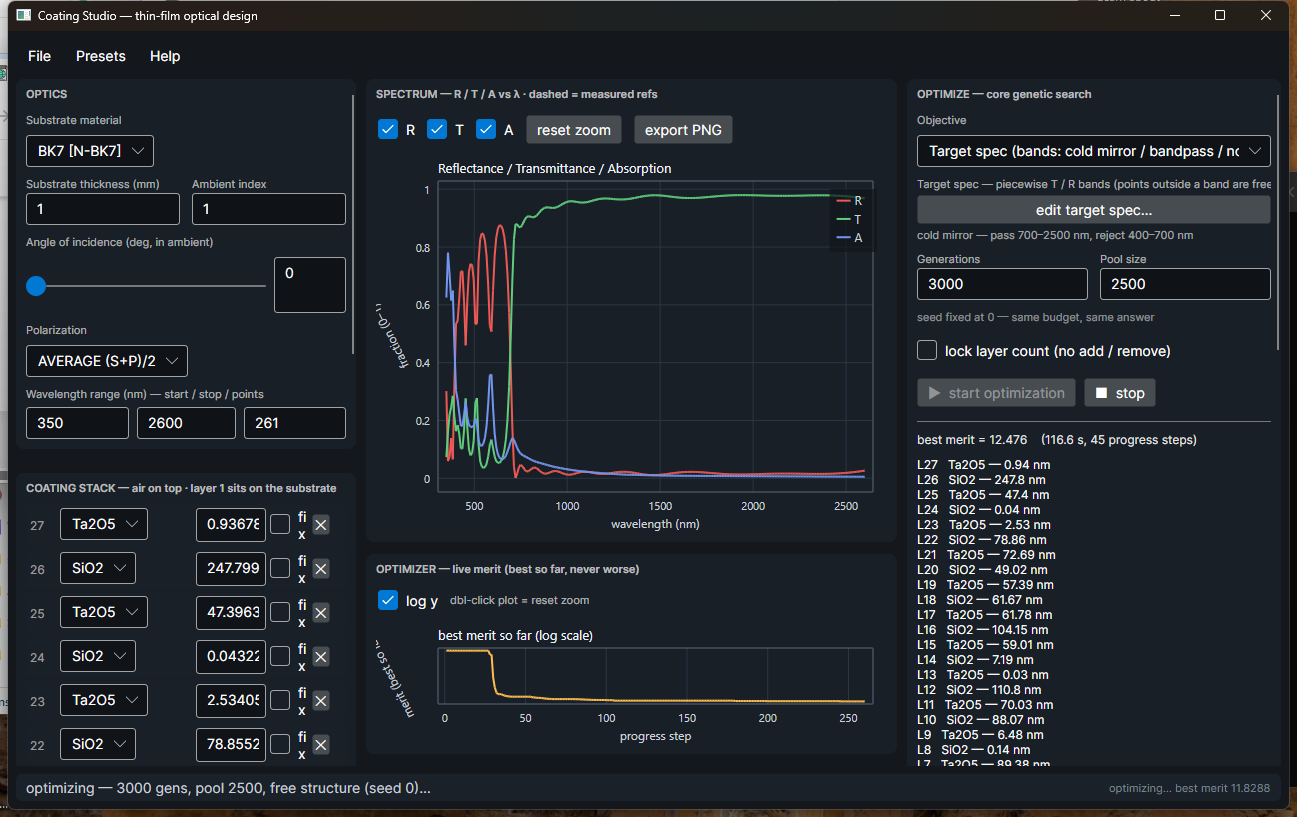
Reflectance, transmittance, and absorptance update as you work — UV through LWIR. Edit a layer, see the optics change. No render queue, no waiting.
Thin-film optical coating design
Coating Studio puts live reflectance, transmittance, and absorptance spectra at your fingertips — from the UV to the LWIR — backed by a catalog of 3,480 real refractive-index records, a preset design library, measured-data import, and a parallel genetic optimizer that can design a coating and then simplify it down to the layers that earn their place. Anti-reflection coatings, dielectric mirrors, beam splitters, notch and bandpass filters.
Everything you need to go from target spectrum to a stack you can run on the tool.
Reflectance, transmittance, and absorptance update as you work — UV through LWIR. Edit a layer, see the optics change. No render queue, no waiting.
A refractive-index catalog of measured materials, not just textbook constants. Find the right n/k and drop it straight into a layer.
Give it a target spectrum and let a parallel population search converge on stacks you would never have guessed by hand — tuned on a five-second benchmark suite of anti-reflection, high-reflectance, and filter designs.
Not every layer earns its place. Simplify scores the stack, removes the least-needed layer, re-optimizes the reduced design, and repeats until performance would slip past a small fixed budget. The result: a coating nearly as performant and far easier to deposit.
Start from working starting points: anti-reflection for UV, visible, MWIR, and LWIR; a 532 nm mirror; a 50% beam splitter; cold-mirror, bandpass, and notch filters. Each uses a manufacturable material set for its band — and the stack is yours to reshape.
Bring in a real spectrum from the lab and overlay it against the model. Close the gap between the design and the part that actually came off the tool.
Open designs saved from classic TFCalc / JFWindows, and save back out in the same format. Materials resolve against the built-in refractive-index catalog, so files carry over without external data.
Material, thickness, and order in one place. Anti-reflection stacks, dielectric mirrors, beam splitters, notch and bandpass filters.
One install from the Microsoft Store. No account, no cloud, no subscription — your designs stay on your machine.
Coating Studio is the work of Jason Keck — 28 years in thin-film optics, from high-power laser multilayers to hybrid DLC for infrared, and engineering management across coating operations in California, Massachusetts, and New Hampshire. He is also the sole programmer behind the judging software for Optica’s Optical Interference Coating Design Competition, peer-reviewed for accuracy across six competition cycles — the same physics rigor that runs through this app.
A design question, a material that misbehaves, or an idea for the next release? The fastest route is a plain email: